
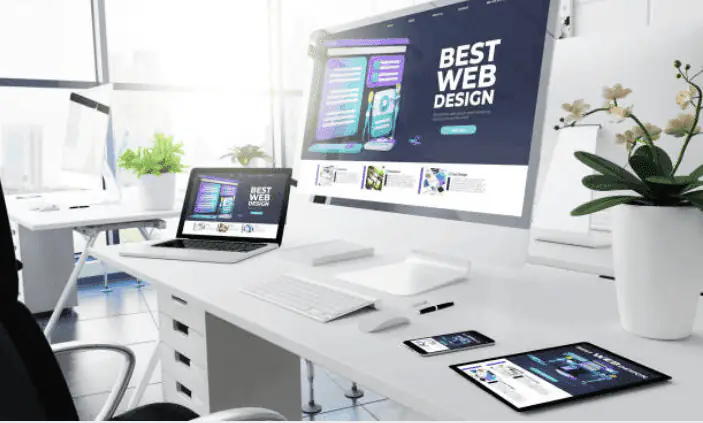
WordPress website design helps businesses create professional, responsive, user-friendly, and manageable websites for building their online presence. From small business websites and blogs to e-commerce stores, portfolios, service websites, membership platforms, and content-focused websites, WordPress provides a flexible foundation for presenting a brand, publishing content, connecting with customers, generating leads, and supporting long-term digital growth.
Professional WordPress website design goes beyond selecting a theme and adding content. It combines website strategy, information architecture, UI/UX design, responsive layouts, branding, accessibility, content structure, SEO, performance, security, plugins, customization, and ongoing maintenance to create a website that is easy to manage and useful for visitors across desktops, tablets, and smartphones.
What Is WordPress Website Design?
WordPress website design is the process of planning, designing, customizing, and organizing a website using WordPress as the content management platform. It can include website structure, page layouts, navigation, typography, colors, imagery, content organization, responsive interfaces, functionality, and branding.
WordPress can be used to create many types of websites, including business websites, blogs, portfolios, service websites, news websites, membership platforms, online stores, and custom business solutions.
Professional WordPress website design focuses on creating an experience that is visually consistent, easy to navigate, mobile-friendly, accessible, search-friendly, and aligned with the goals of the business.
Why WordPress Is Popular for Business Websites
WordPress is widely used as a content management system because it provides businesses with a flexible platform for publishing and managing website content. Businesses can create pages, blog posts, media, menus, categories, and other website elements through its content management features.
Another advantage is the availability of themes and plugins that can extend the functionality and presentation of a website. Depending on project requirements, businesses can use existing solutions or develop customized functionality.
A professional WordPress website design approach should focus on selecting technologies and features based on actual business requirements rather than adding unnecessary plugins or design elements.
WordPress Website Design vs WordPress Development
WordPress website design primarily focuses on the visual interface, user experience, layout, branding, navigation, responsive behavior, and content presentation of a website.
WordPress development focuses more on implementing functionality, customizing themes, developing plugins, integrating APIs, creating custom features, configuring databases, and handling technical requirements.
In many business projects, design and development work together. Strong WordPress website design provides the visual and user-experience foundation, while development turns that design into a functional website.
1. Define Business Goals Before Designing
Every WordPress project should begin with a clear understanding of the business objectives. A website may be designed to generate leads, promote services, sell products, publish content, receive bookings, showcase a portfolio, or provide information to customers.
Defining these objectives helps determine the appropriate page structure, content strategy, navigation, calls to action, forms, and functionality.
A goal-focused WordPress website design process can help businesses avoid unnecessary features and create a website that supports specific business requirements.
2. Plan the WordPress Website Structure
Website structure determines how pages and information are organized. A typical business website may include Home, About, Services, Products, Projects, Blog, FAQs, Contact, Privacy Policy, and other relevant pages.
Planning the sitemap before design can make navigation easier to understand and can provide a clearer foundation for content and SEO.
Internal links, categories, breadcrumbs, menus, and related content can also help visitors discover relevant information throughout the website.
3. Choose the Right WordPress Theme
A WordPress theme controls many aspects of a website's visual presentation and layout. Businesses can choose an existing theme, customize a suitable theme, or develop a custom theme depending on project requirements.
When selecting a theme, businesses should consider responsive behavior, accessibility, performance, customization options, code quality, compatibility, and long-term maintenance.
The visual appearance should not be the only consideration when evaluating a theme for WordPress website design.
4. Create a Strong WordPress Homepage
The homepage often provides visitors with their first understanding of a business. It should clearly communicate what the company offers, who it serves, and what visitors can do next.
Effective WordPress website design can organize a homepage using a clear headline, supporting message, services or products, benefits, trust signals, testimonials, projects, FAQs, and relevant calls to action.
The exact structure should depend on the business model and the information visitors need before taking action.
5. Focus on UI and UX Design
User interface and user experience are important parts of a professional WordPress website. UI design focuses on visual components such as typography, buttons, colors, spacing, cards, and interface patterns.
UX focuses on how easily visitors can navigate the website, understand information, complete tasks, and interact with important features.
Good WordPress website design combines both areas to create interfaces that are attractive while remaining practical and easy to use.
6. Make WordPress Websites Responsive
A professional WordPress website should work effectively across smartphones, tablets, laptops, and desktop computers.
Responsive WordPress website design can use flexible layouts, responsive images, scalable typography, mobile navigation, touch-friendly controls, and adaptive content sections.
Testing layouts across different screen sizes is important because elements that work well on desktop may require adjustments for smaller screens.
7. Customize WordPress Website Branding
Business websites should communicate a consistent visual identity. Branding can include logos, colors, typography, imagery, icons, illustrations, spacing, buttons, and other interface components.
Customized WordPress website design can help a business create a website that reflects its brand instead of relying entirely on a generic theme appearance.
A consistent design system also makes it easier to maintain visual consistency when new pages and content are added.
8. Create SEO-Friendly WordPress Structure
Search engine optimization should be considered during WordPress website planning and design. Page structure, headings, content organization, internal linking, URLs, metadata, image optimization, and mobile usability can all contribute to a search-friendly website.
A properly structured WordPress website can make it easier for search engines to understand website content and for visitors to navigate between related pages.
Professional WordPress website design should work together with an ongoing SEO strategy rather than treating SEO as something added only after the website is finished.
9. Optimize WordPress Website Performance
Website performance can influence how quickly visitors can load and interact with pages. WordPress websites may include themes, plugins, images, fonts, scripts, analytics, and third-party services that all contribute to page requirements.
Performance-focused WordPress website design can use optimized images, efficient layouts, appropriate fonts, lightweight components, caching strategies, and carefully selected plugins.
Regular performance testing can help identify resources and features that may need optimization as the website grows.
10. Use WordPress Plugins Carefully
Plugins can extend WordPress functionality by adding features such as contact forms, SEO tools, analytics, e-commerce, security, performance optimization, backups, memberships, and other business capabilities.
However, installing unnecessary plugins can increase maintenance requirements and may introduce compatibility or performance concerns.
A professional WordPress website design and development process should evaluate whether each plugin is necessary and whether it is appropriate for the website's requirements.
11. Design User-Friendly WordPress Navigation
Navigation should help visitors quickly find important information. Menus should use clear labels and logical groupings that reflect the website's content structure.
Depending on the website, navigation may include services, products, categories, resources, projects, blog content, FAQs, and contact options.
Breadcrumbs, search functionality, internal links, and contextual navigation can further improve the experience on larger WordPress websites.
12. Create High-Quality WordPress Content
Website design and content should work together. Even a visually polished WordPress website may struggle to communicate effectively if its content is unclear, incomplete, or poorly organized.
Businesses should create useful headings, service descriptions, product information, FAQs, blog content, calls to action, and other resources based on what their audience needs.
WordPress website design should provide layouts that make this content easy to read, scan, understand, and navigate.
13. Improve WordPress Website Accessibility
Accessibility should be considered when designing and developing WordPress websites. Visitors may interact with websites using keyboards, screen readers, touch devices, and other assistive technologies.
Important considerations include meaningful headings, keyboard navigation, sufficient contrast, visible focus states, descriptive labels, accessible forms, readable typography, and useful alternative text for relevant images.
Accessible WordPress website design can make websites easier to use for a wider range of visitors.
14. Build Secure WordPress Websites
Security is an important consideration for any WordPress website, especially websites that process customer information, user accounts, payments, or other sensitive business data.
Security practices can include keeping WordPress and its components updated, using strong authentication, limiting unnecessary access, maintaining backups, using secure hosting configurations, and monitoring the website for issues.
Security should be considered throughout WordPress website design, development, deployment, and ongoing maintenance.
15. Design WordPress E-Commerce Websites
WordPress can also be used to create online stores and e-commerce experiences. E-commerce WordPress website designshould make product discovery, comparison, purchasing, and checkout straightforward.
Important components can include product categories, search, filters, product images, descriptions, pricing, availability, reviews, shopping carts, checkout forms, and customer account areas.
The design should support the complete customer journey while maintaining usability, responsive behavior, performance, and accessibility.
16. Integrate WordPress With Business Tools
Business websites often need to connect with other systems. WordPress can be integrated with tools for customer relationship management, email marketing, analytics, payments, booking systems, customer support, automation, and other business processes.
APIs and integration services can allow website data to move between WordPress and external platforms.
Professional WordPress website design should consider these integrations early when they affect navigation, forms, account experiences, or other important user journeys.
17. Use WordPress for Content Marketing
WordPress is commonly used for publishing and managing business content. A well-planned blog can help businesses publish educational articles, industry information, product updates, case studies, FAQs, and other resources.
Content should be organized using relevant categories, tags, internal links, headings, images, and related content where appropriate.
A content-focused WordPress website design can make it easier for visitors to discover useful information and continue exploring the website.
18. Optimize WordPress Images and Media
Images can strengthen a website's visual communication, but large or poorly optimized media files can increase page loading requirements.
Businesses should consider appropriate image dimensions, modern file formats, compression, responsive images, lazy loading where appropriate, and meaningful alternative text.
Image optimization is an important part of performance-focused WordPress website design.
19. Add Clear Calls to Action
Calls to action help visitors understand what they can do next. Depending on the business, CTAs may encourage visitors to contact the company, request a quote, book an appointment, purchase a product, download a resource, or start a project.
Good WordPress website design places relevant calls to action within the context of the page rather than overwhelming visitors with unnecessary promotional elements.
CTA wording, placement, accessibility, visual hierarchy, and surrounding information should work together to create a clear next step.
20. Maintain and Update the WordPress Website
A WordPress website requires ongoing maintenance after launch. Updates, backups, security monitoring, performance checks, content changes, plugin management, and compatibility testing can all be part of website maintenance.
Regular maintenance can help businesses keep their website functional, secure, current, and aligned with changing business requirements.
Ongoing WordPress website design improvements can also include updating layouts, adding new content, improving navigation, refining mobile experiences, and introducing new functionality.
21. Custom WordPress Website Design
Businesses with specific branding, functionality, or workflow requirements may choose a customized WordPress solution rather than relying entirely on a pre-built theme.
Custom WordPress website design can include customized layouts, reusable components, tailored page templates, custom functionality, API integrations, advanced forms, and business specific user experiences.
Customization should be based on genuine requirements and should maintain a balance between flexibility, performance, security, and maintainability.
22. WordPress Website Design for Different Businesses
WordPress can support different business models, including local businesses, professional services, startups, agencies, consultants, restaurants, educational organizations, publishers, service providers, and online stores.
Each type of business may require a different information structure, content strategy, conversion path, branding approach, and set of website features.
Effective WordPress website design should therefore be planned around the specific audience, industry, goals, and operational requirements of the business.
23. WordPress Website Design Cost
The cost of a WordPress website can vary significantly depending on the project's scope. Factors may include design complexity, number of pages, theme customization, custom development, plugins, integrations, e-commerce functionality, content requirements, SEO, hosting, security, and ongoing maintenance.
A simple informational website may require fewer resources than a customized business platform or online store with complex integrations.
Businesses should evaluate the total project requirements instead of selecting a WordPress solution based only on the initial development price.
24. Common WordPress Website Design Mistakes
Common mistakes can include choosing a theme only because it looks attractive, installing too many plugins, ignoring mobile usability, using oversized images, creating confusing navigation, neglecting accessibility, and failing to plan for maintenance.
Another common issue is designing pages without clearly defining the business objective or the actions visitors should take.
A structured WordPress website design process can help identify these requirements before development and reduce unnecessary redesign work.
25. How to Choose a WordPress Website Design Company
Businesses should evaluate a WordPress design company based on relevant experience, design capabilities, development expertise, responsive implementation, SEO knowledge, performance practices, security, communication, project scope, and ongoing support.
Reviewing previous WordPress projects can help businesses understand how an agency approaches different industries, layouts, functionality, and user experiences.
It is also useful to discuss ownership, maintenance, hosting, third-party services, future customization, and support before starting the project.
WordPress Website Design Services from Creative Coder
Creative Coder provides WordPress website design services for businesses looking to build modern, responsive, SEO-conscious, user-friendly, and scalable websites.
Our services can include professional website design, custom website development, e-commerce development, web application development, UI/UX design, responsive website development, WordPress customization, SEO implementation, API integrations, performance optimization, and ongoing website maintenance.
From website planning and information architecture to UI/UX design, WordPress customization, responsive development, SEO, testing, deployment, and maintenance, our approach focuses on creating practical digital experiences that support specific business requirements and long-term growth.
Professional WordPress website design combines strategy, branding, UI/UX, responsive layouts, content, SEO, performance, security, functionality, and ongoing maintenance to create a website that supports both user needs and business goals.Key Factors That Influence the Website Development Process
Understanding the key factors involved in WordPress website design can help businesses plan and manage their website projects more effectively. Business goals, target audience, branding, content, website structure, theme selection, UI/UX requirements, responsive design, accessibility, plugins, customization, SEO, performance, security, usability, and ongoing maintenance can all influence how a WordPress website is designed and developed. A clear WordPress strategy helps businesses choose the right features, avoid unnecessary complexity, create a consistent user experience, and build a website that supports current needs while providing a flexible foundation for long-term digital growth.
Flexible Website Platform
WordPress provides a flexible content management platform that can support business websites, blogs, portfolios, online stores, and customized digital experiences.
Responsive Website Design
Responsive WordPress layouts can provide a consistent user experience across smartphones, tablets, laptops, and desktop computers.
SEO-Friendly Structure
Well-planned WordPress websites can support organized content, clear headings, internal linking, optimized URLs, mobile usability, and other SEO foundations.
Easy Content Management
WordPress provides content management capabilities that allow businesses to publish and update pages, posts, media, and other website content.
Customizable Functionality
Themes, plugins, custom development, and integrations can extend WordPress functionality according to specific business requirements.
Scalable Business Website
A carefully planned WordPress architecture can provide a foundation for adding new pages, content, features, integrations, and business functionality over time.
The Future of Website Development
The future of WordPress website design is moving toward faster, more accessible, responsive, secure, and user-focused digital experiences. As businesses adopt e-commerce, web applications, automation, artificial intelligence, personalization, advanced integrations, and content-driven digital strategies, WordPress websites are increasingly being designed with greater emphasis on performance, flexibility, usability, and scalability. Professional WordPress website design can help businesses adapt to these changes by creating flexible website structures, reusable design systems, and user experiences that support evolving technologies and customer expectations.
Businesses should consider both current requirements and future growth when planning a WordPress website. Choosing a scalable theme or custom design, maintaining consistent UI/UX patterns, prioritizing responsive design and accessibility, optimizing website performance, selecting plugins carefully, maintaining strong SEO foundations, and planning for security and ongoing updates can make it easier to introduce new pages, features, integrations, content, and digital experiences as the business grows. A well-plannedWordPress website design can provide a flexible foundation that evolves alongside changing business requirements.
Conclusion
WordPress website design is about more than selecting a theme and publishing pages. A successful WordPress website combines business strategy, information architecture, UI/UX design, responsive layouts, branding, content, SEO, performance, accessibility, security, and functionality.
Businesses can use WordPress to create a wide range of digital experiences, from simple business websites and blogs to e-commerce stores, membership platforms, content portals, and customized business solutions. The right approach depends on the organization's goals, audience, content requirements, functionality, and future plans.
Businesses should also consider website maintenance from the beginning. WordPress core updates, theme and plugin management, backups, security, performance optimization, content updates, and ongoing improvements can help keep the website useful as business requirements evolve.
A professional WordPress website design strategy should balance visual quality with usability, performance, accessibility, search visibility, security, scalability, and practical business requirements. Planning these areas together can reduce unnecessary redesigns and provide a stronger foundation for long-term digital growth.
Creative Coder provides WordPress website design services focused on modern, responsive, user-friendly, SEO-conscious, and business-focused digital experiences. From professional website design and UI/UX design to custom website development, e-commerce development, and web application development, our solutions can be planned around specific business requirements and long-term digital growth goals.